Menu-Order AI

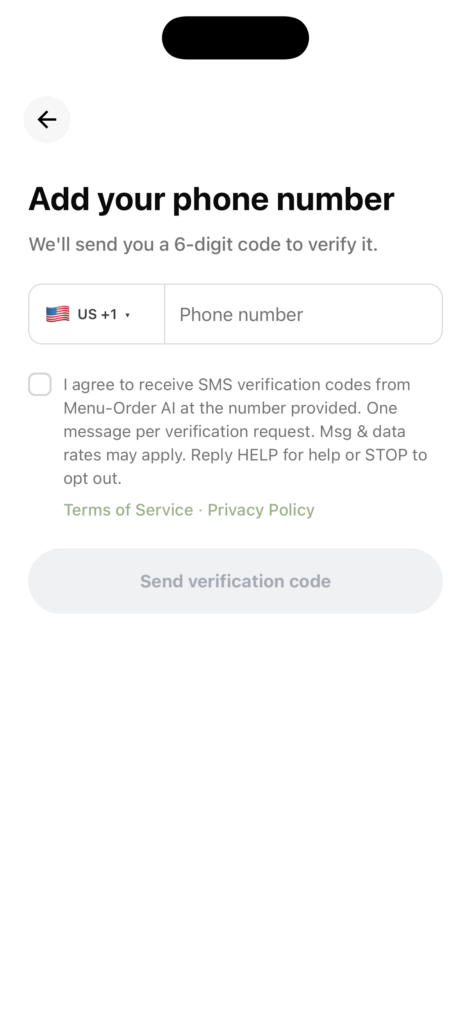
Menu-Order AI phone verification consent screen: phone number entry with SMS verification code consent checkbox.

Menu-Order AI Phone Verification Consent: Menu-Order AI users can optionally add
a phone number in the app (Settings > Add your phone number). Adding a phone
number is not required to sign up for or use the app. Users consent to receive SMS
verification codes by checking an unchecked-by-default checkbox, then tap “Send
verification code” and receive one text with a 6-digit code that expires in 10 minutes.
One message per verification request. Msg & data rates may apply. Reply HELP for
help or STOP to opt out.
Terms of Service  · Privacy Policy.

Menu-Order AI mobile app screen titled "Add your phone number" showing a phone number input field, an unchecked opt-in consent checkbox for SMS verification codes, links to the Terms of Service and Privacy Policy, and a disabled "Send verification code" button.
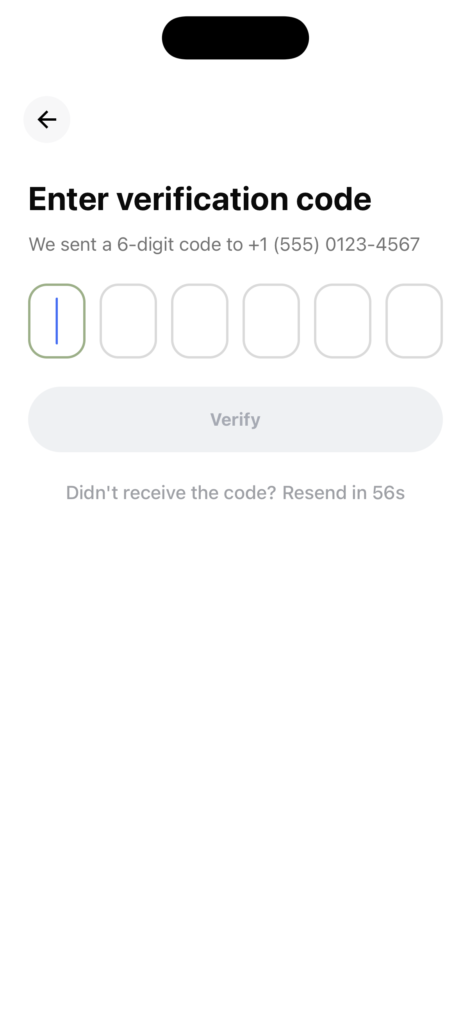
Menu-Order AI mobile app screen titled "Enter verification code" displaying six digit input boxes for the 6-digit SMS code sent to the user's phone number, a "Verify" button, and a countdown timer to resend the code.
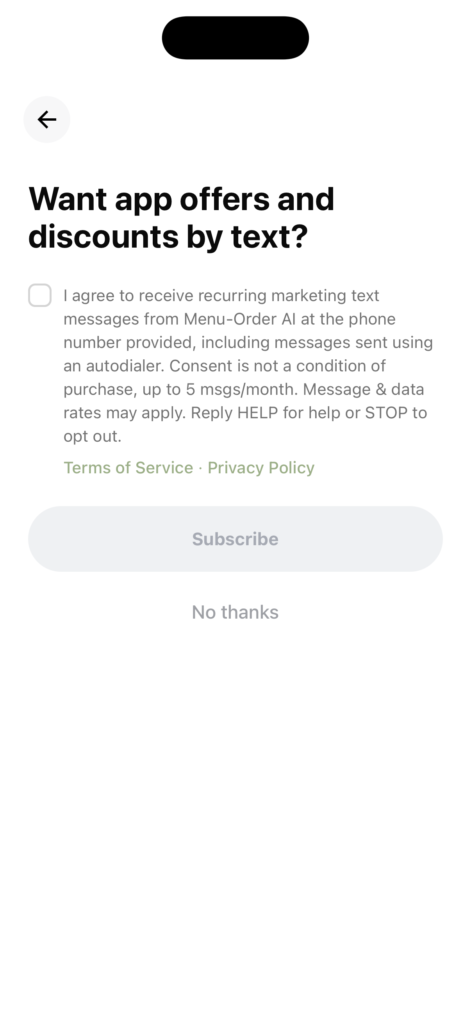
Menu-Order AI mobile app screen titled "Want app offers and discounts by text?" showing a separate unchecked opt-in checkbox for recurring marketing text messages (up to 5 msgs/month), links to Terms of Service and Privacy Policy, a "Subscribe" button, and a "No thanks" skip option.